Flagged at the stations where your standard requires headgear, with a blurred clip for every finding.
For restaurant groups in the UAE and Saudi Arabia
Every outlet, checked every shift
Readyline puts AI on the kitchen and counter cameras your outlets already have. It checks hair nets, gloves, uniforms and clean counters, and sends you one report a day per outlet.
Free. Answer in two working days.
- Your existing camerasAI on the kitchen and counter cameras you have.
- By outlet and shiftNever by person. Faces blurred.
- Two-day answerSend a few screenshots. Free.
- $39 an outletA month, four cameras included.
You can’t visit every outlet every day. Between the area manager’s visit and the next mock inspection, the first person to see a slip may be the inspector.
With Readyline, both are in that day’s report: the outlet, the shift and a blurred clip for each.
Dubai Municipality carried out 31,563 inspections of food outlets in the first half of 2026.1
Gulf News, July 2026On 16 November 2026 a Dubai Municipality official said it plans to put cameras in restaurant premises, so restaurants can fix problems before an inspector visits. Readyline is independent and not linked to that plan.2
Khaleej Times, 16 Nov 2026
What the AI checks, outlet by outlet
Bare hands are flagged at prep, assembly and the pass, only at the stations where gloves are your rule.
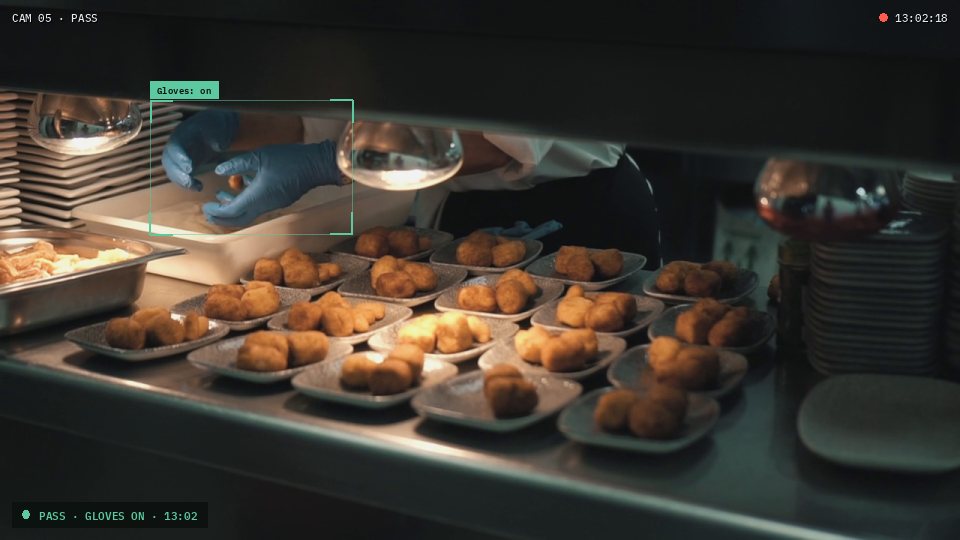 Gloves checked where you require themStationPass · CAM 05SawHands at the pass, gloves onRuleGloves required at the passLoggedNo findingSample readout. Stock still with our overlay: box by an off-the-shelf model, label set by hand. Not a customer site
Whether counters, tables and floors were clear and cleaned at the times you set, with a timed clip.
An alert when a counter stands unattended with a customer waiting, outlet by outlet.
Also checked: uniform and aprons, and the opening and closing routine.
People footage: Mixkit. Camera views: stock footage (Mixkit and Pexels) with our overlay, not a customer site.
One report a day for every outlet
Which outlet, which shift, and a clip for every finding. In English and Arabic.
ReadylineDaily reportSample layout · not real data
Findings by outlet and shift
Sample group · 4 outlets · one day
| Morning | Lunch | Evening | |
|---|---|---|---|
| Outlet 01 | no findings | 22 findings | no findings |
| Outlet 02 | 11 finding | 55 findings | 22 findings |
| Outlet 03 | no findings | no findings | no findings |
| Outlet 04 | no findings | 33 findings | 11 finding |
Findings by check
- Hair nets and headgear
- Tables and counters
- Gloves
- Counter unattended
- Uniform and aprons
- Open and close routine
Clips to watch
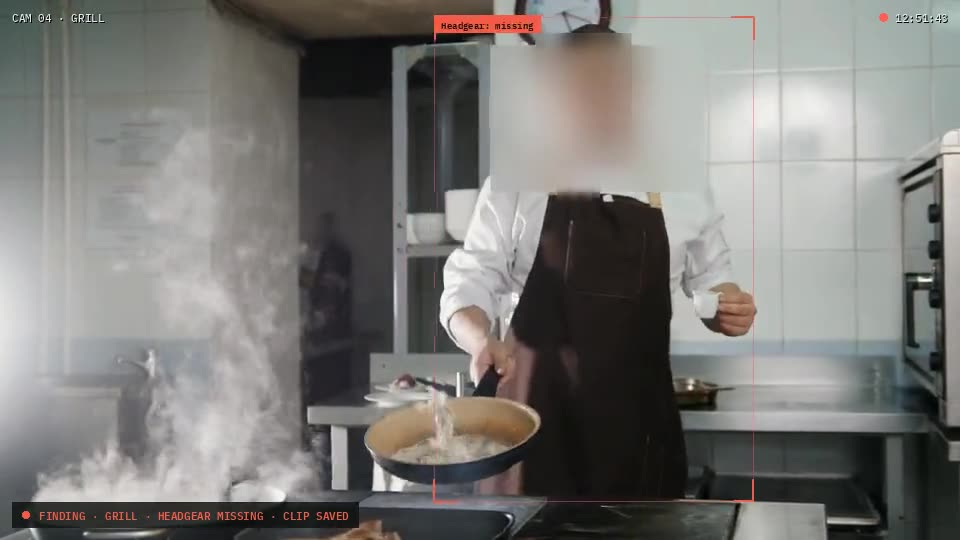 Headgear missing at the grillSample clip
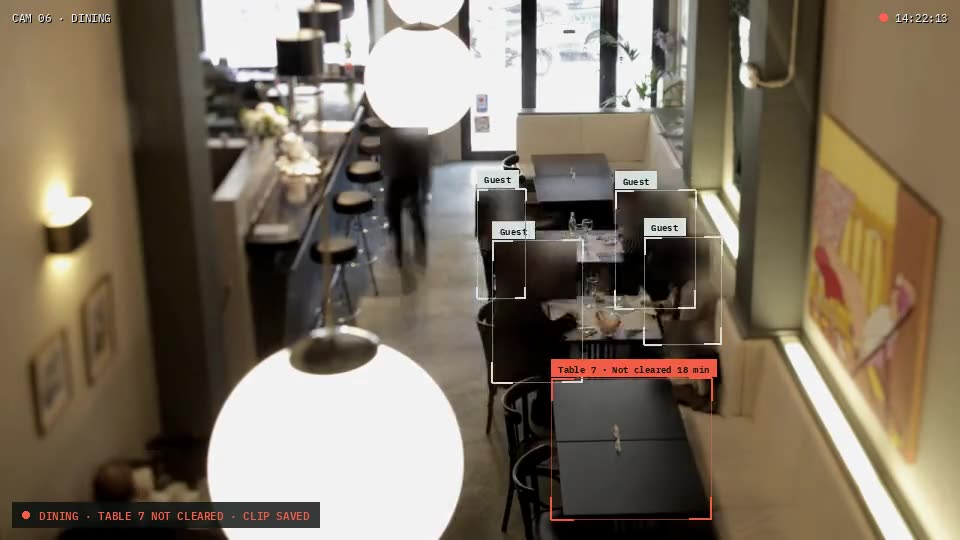 Table 7 not clearedSample clip
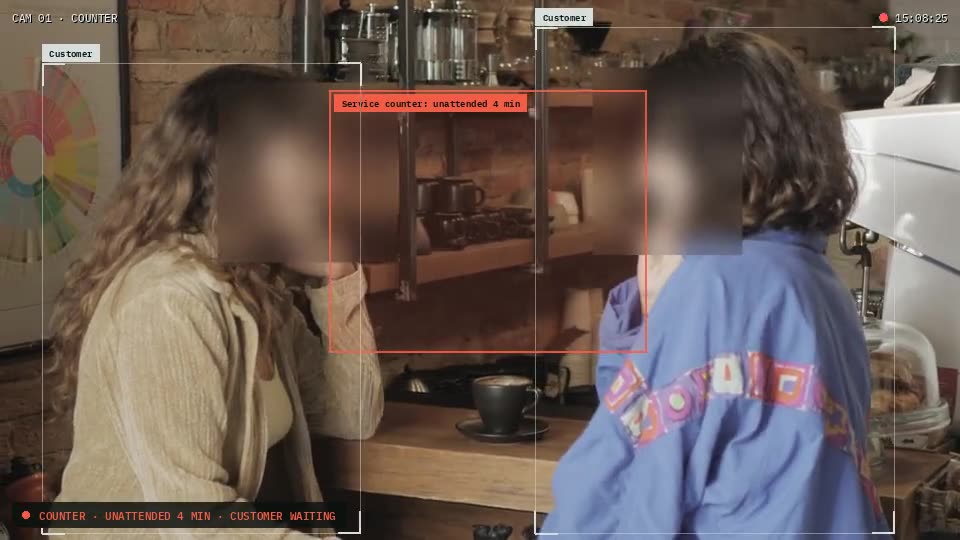 Counter unattendedSample clip
The real report adds the checklist line for each finding, an outlet ranking and the trend.
Readyline alertSample
Counter unattended, customer waiting
- Outlet
- Outlet 02 · CAM 01
- Shift
- Evening
- Check
- Counter unattended 4 min
Week one is quiet while we tune: no alerts to outlet staff. From week two, the findings you choose go to the people you choose, by email, WhatsApp or Teams.
Set up remotely. No hardware to buy.
- Your camerasThe kitchen and counter cameras each outlet already has.
- The connectorSmall software on a PC the outlet already has. Nothing is shipped.
- One connection outEncrypted and outbound-only, to our cloud.
- ReadylineAI checks each view against your standards and blurs faces before a clip is stored.
- Your peopleOne report a day per outlet. Alerts by email, WhatsApp or Teams.
Will our cameras work?
- Usually, with no new cameras. Nothing is shipped.
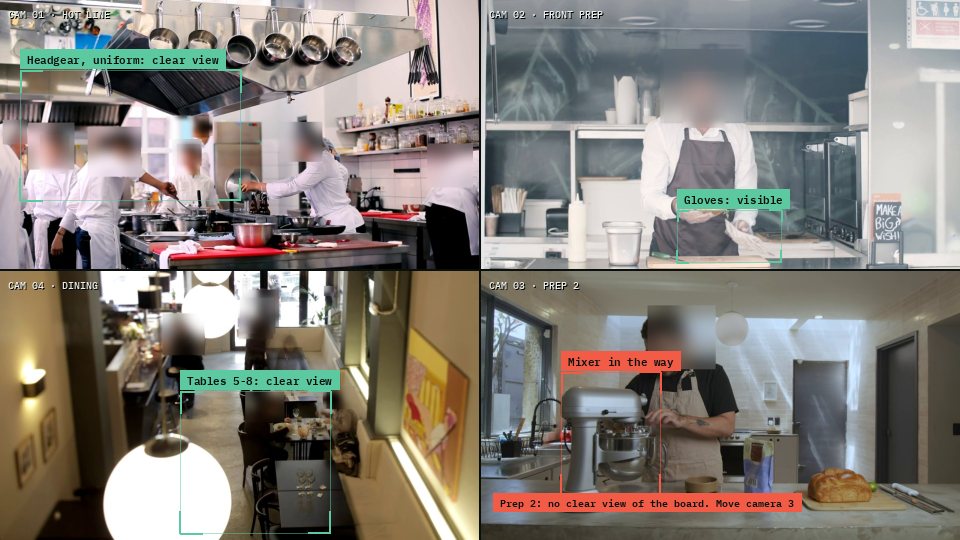
- What a view can check depends on angle, steam, glare and crowding. The free check answers that camera by camera.
- If a camera can’t see a station, we tell you before set-up.
- Where a view is missing, an installer moves or adds a standard camera.
- IT approves one small connector. The audit includes an IT and Data Sheet.
What it never does
- Name or score a person. Reports are by outlet and shift.
- Recognise faces. Faces are blurred before a clip is stored.
- Claim handwashing where no camera sees the sink.
- Check temperatures, order accuracy or allergens.
- Promise an inspection result. It keeps daily evidence of the standards an inspection looks at.
See what your cameras can check before you pay anything
Start with a free camera check, then decide whether a 30-day audit is worth it.
- 01
Free outlet camera check
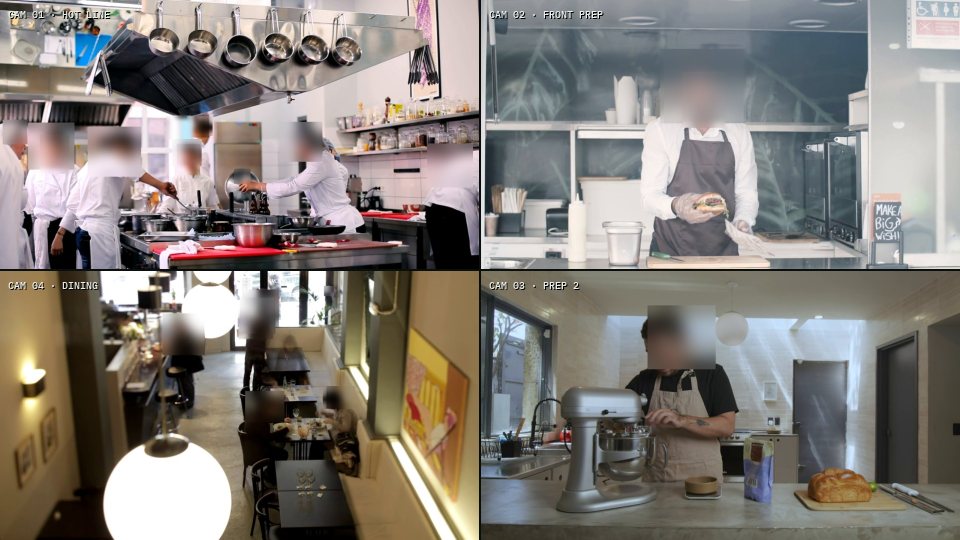
Send a few screenshots from one outlet. We mark up one of your own frames and reply in two working days.
Free
- 02
30-day audit
Up to five outlets, set up by us. Billed on day 30 and credited against your first three months.
$99per outlet, at most $495
- Days 1 to 7Quiet week. First clips by day 3.
- Week 2 onDaily reports and alerts.
- Day 30Audit pack and a review call.
- 03
Keep it running
Four cameras included, $7 for each further camera. No set-up fee, stop any month.
Verified, $59 an outlet a month: a person checks each flagged clip.
$39per outlet, per month
The guarantee
If you don’t think the audit was worth it, you don’t pay. No conditions.
Get my free camera checkFour group starts a month. Intake closes on the 25th.
Nothing to send back, because nothing was shipped. The audit includes a Checklist Map, Camera Fix List, Kitchen Acceptance Pack, IT and Data Sheet and Franchisor Brief.Before you send your screenshots
01Do we need new cameras?
Usually not. The free check tells you if a camera needs moving or adding. The connector runs on a PC the outlet already has, and nothing is shipped.
02What AI does it use?
Computer vision models that find people, headgear, gloves and uniforms in your camera views, then apply the standards you set for each station. Faces are blurred before a clip is stored. There is no facial recognition.
03Will our staff be watched or scored?
No. Reports are by outlet and shift, never by person, and faces are blurred.
04Is this part of Dubai Municipality’s camera plan?
No. Readyline is independent and not linked to or approved by Dubai Municipality.
05Will it get us through an inspection?
No product can promise that. Readyline helps you keep the daily standards an inspection looks at, and keeps the evidence.
06What does IT need to approve?
One small connector with one encrypted, outbound-only connection to our cloud. The audit includes an IT and Data Sheet with the details.
07How accurate is it?
It depends on camera angle, steam, glare and crowding, so we don’t quote a number. That’s why the first week is quiet: you check the first clips yourself before any alert reaches outlet staff.
See what your cameras can check
Send a few screenshots from one outlet. In two working days we mark up one of your own frames. Free, and no call.
- 01Send a few screenshots from one outlet
- 02We mark up your views in two working days
- 03You decide. No call needed